- Platform: Web app dashboard
- Scope: UX strategy, dashboard design, goal-setting flows, design system
- Tools: Figma
The problem
Big life goals, like learning an instrument, getting fit or building a career skill, feel overwhelming when they stay big. People start motivated, lose sight of the next step and quietly give up. Most productivity tools track tasks but not the long-term goal behind them, and they offer little encouragement to keep going.
The solution
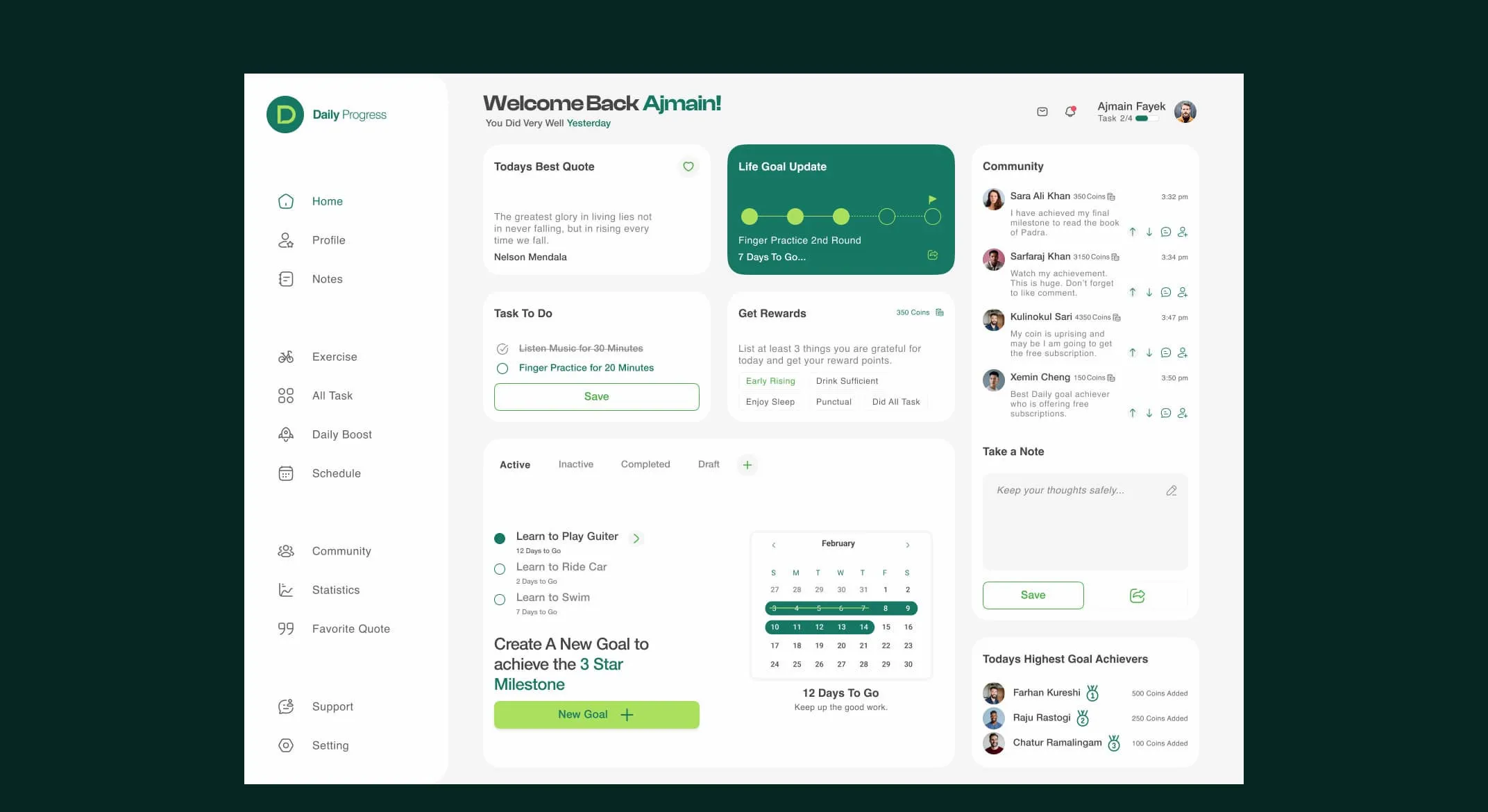
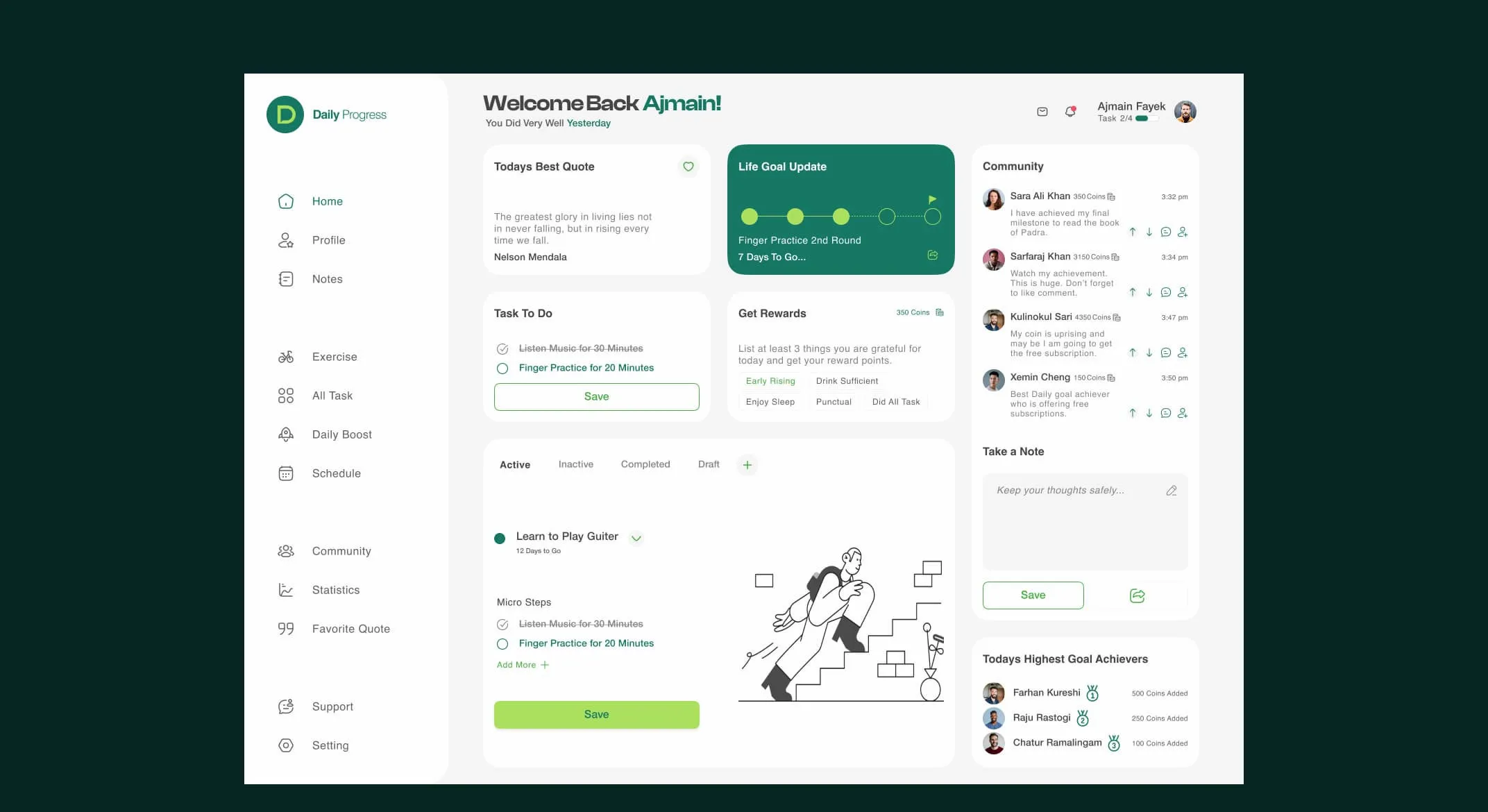
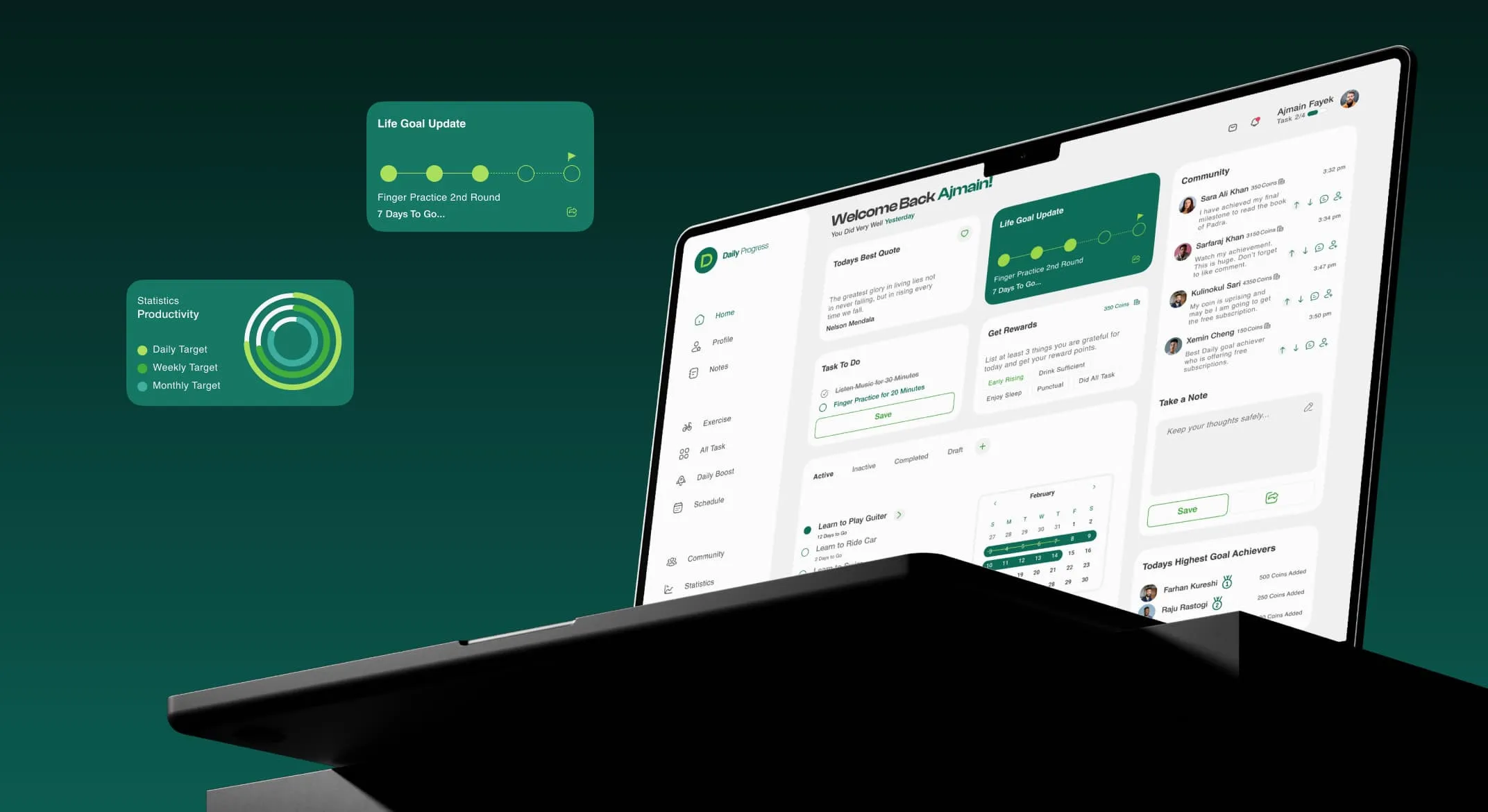
Daily Progress makes goal achievement approachable. Every goal is split into micro-steps with a timeline, and the dashboard brings together everything a user needs each day.
Key features
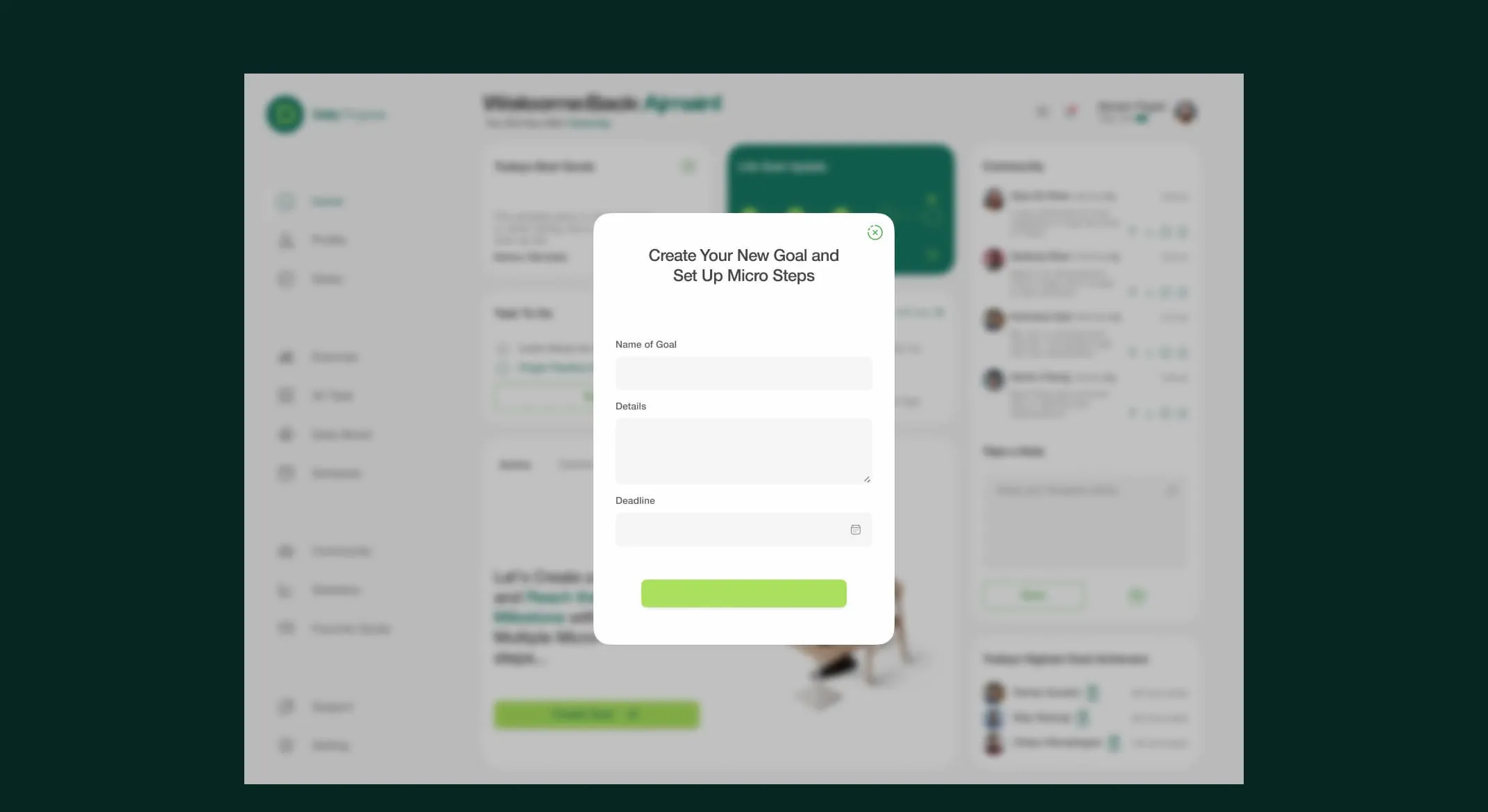
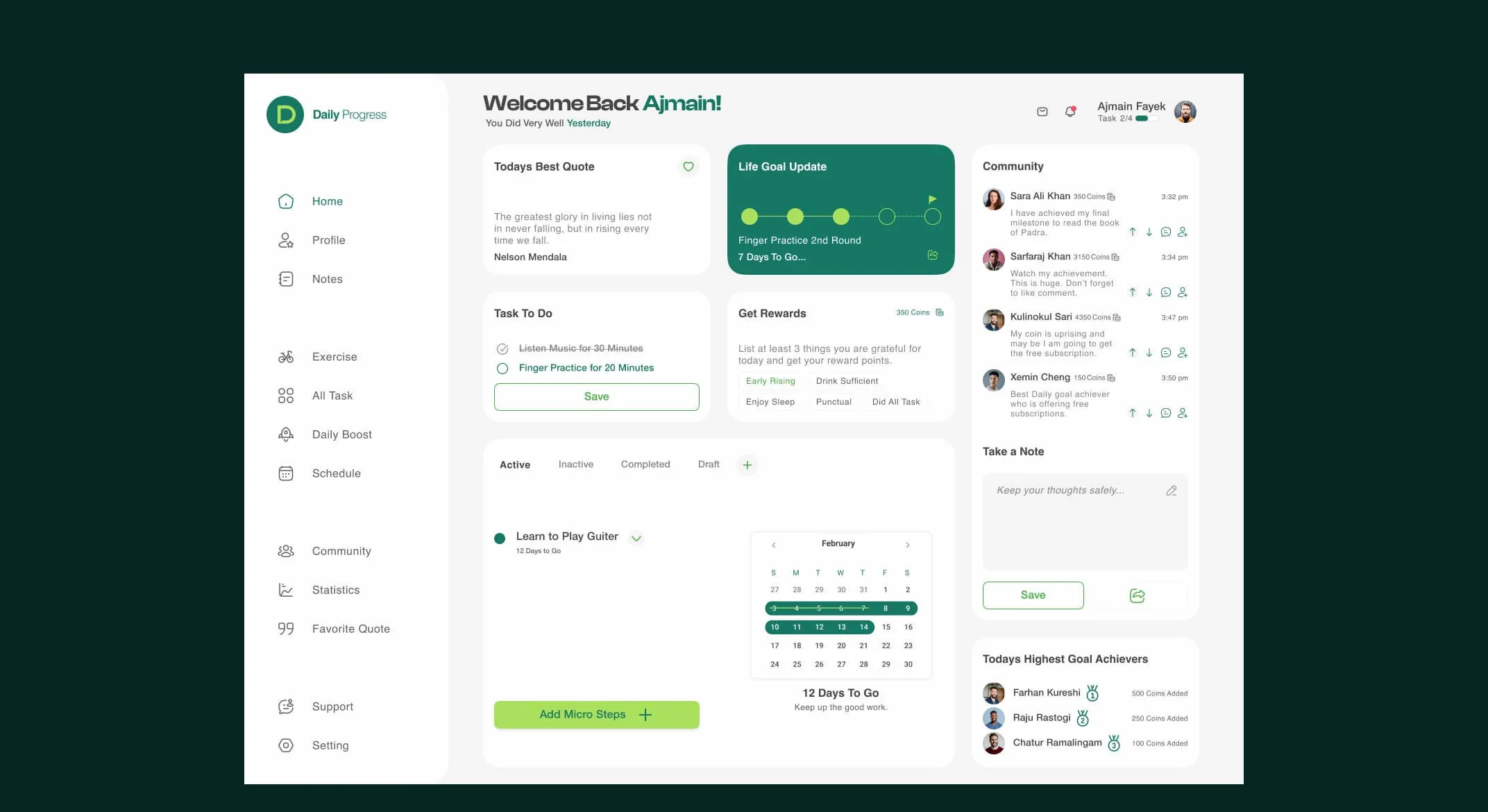
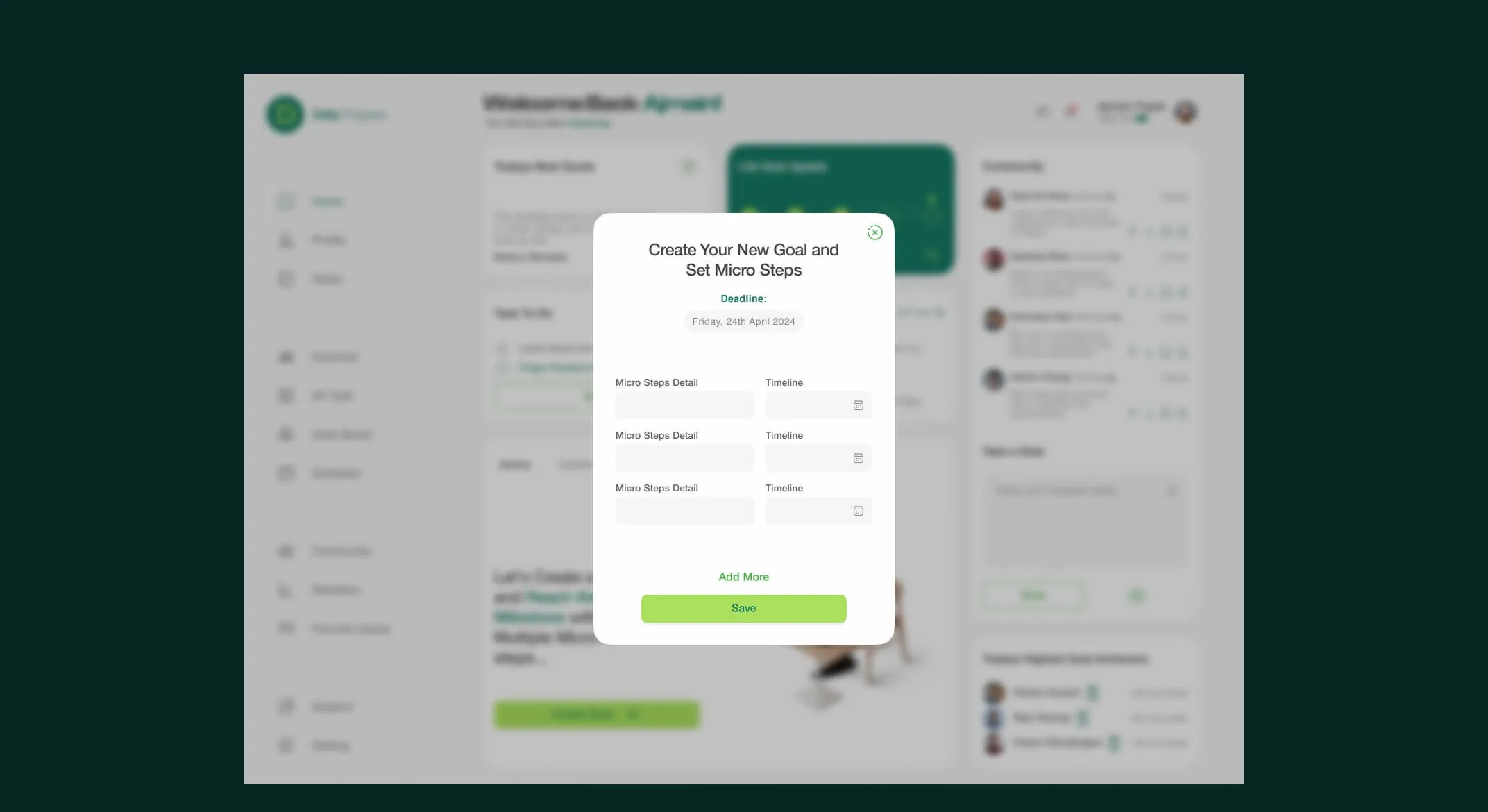
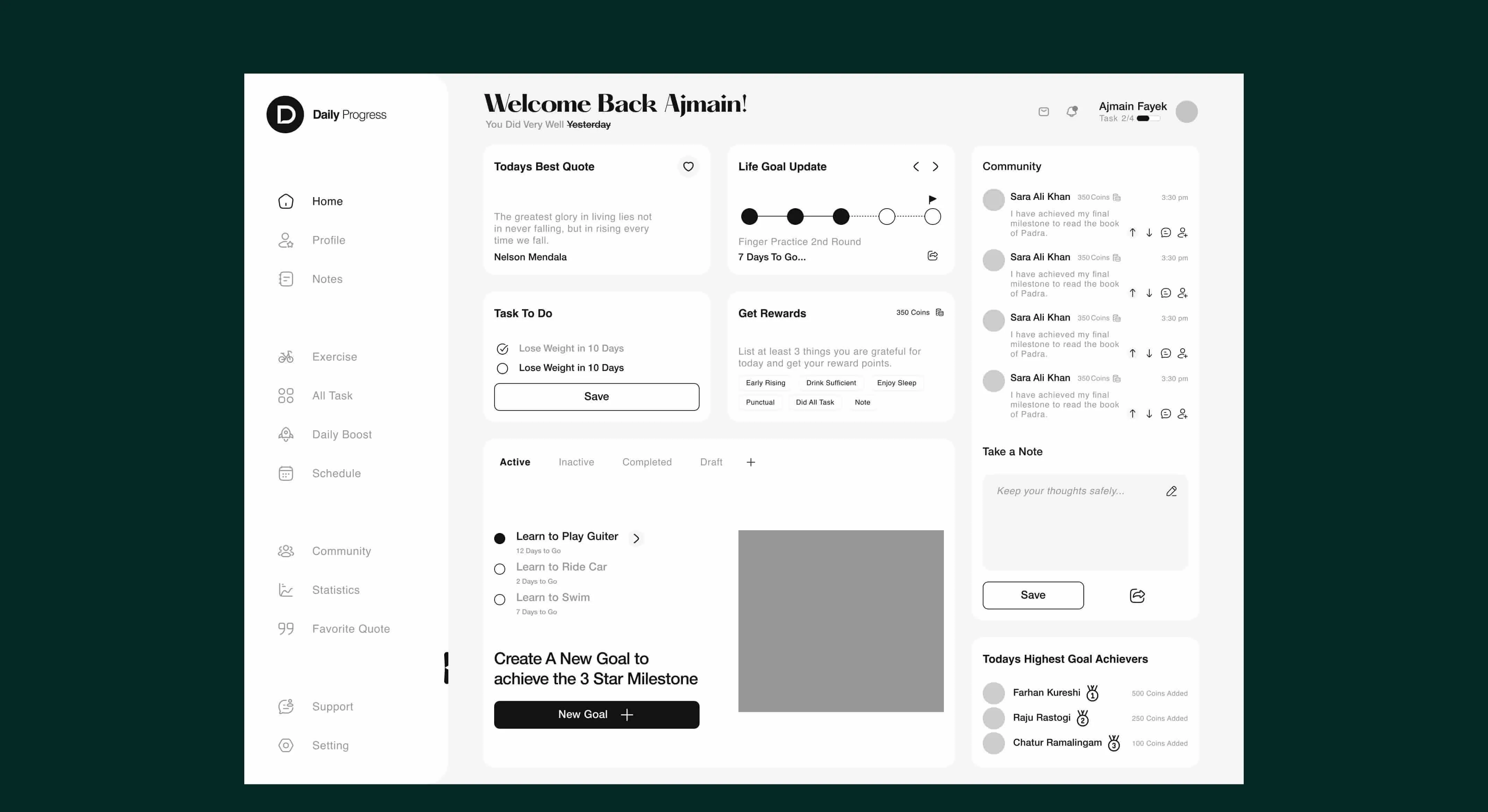
- Create a goal, then set micro-steps: a two-step flow where users define a goal and its deadline, then break it into micro-steps, each with its own timeline.
- Life goal update: a progress tracker showing how many steps are complete and how many days remain.
- Task to do: today's micro-steps, ready to tick off.
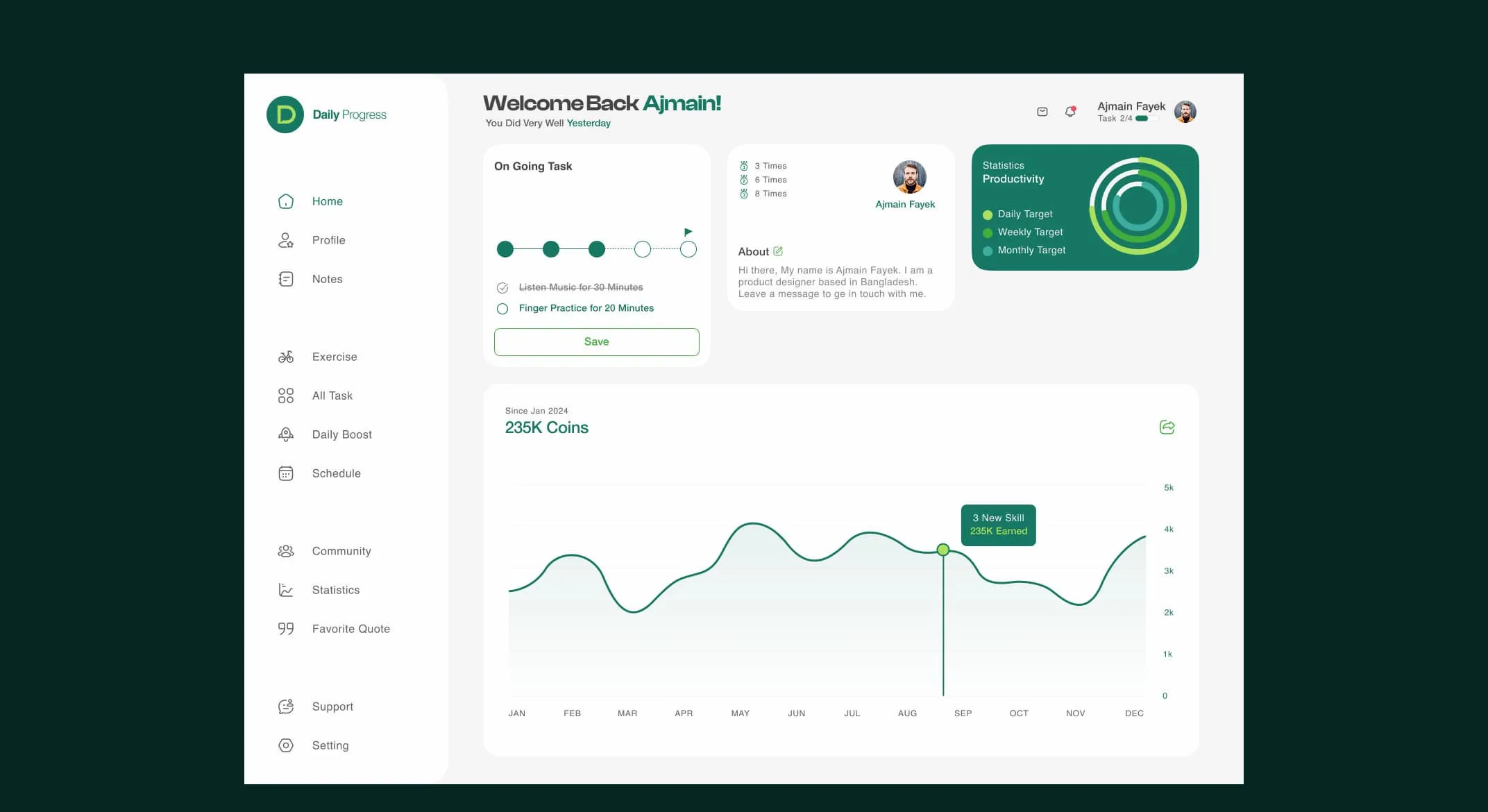
- Rewards and coins: users earn coins for completing steps, with a chart of their earnings over time, turning consistency into something visible.
- Productivity statistics: a ring chart summarising daily, weekly and monthly targets.
- Community and leaderboard: a feed of other users' updates and a list of today's highest goal achievers, for accountability and motivation.
- Today's best quote and notes: a short daily quote and a quick note area to capture thoughts.
- Calendar view: upcoming milestones at a glance.
Design decisions
Encouraging, not demanding. Rewards, the community feed and the daily quote make progress feel social and positive rather than like another to-do list.
Small steps first. The goal-creation flow asks for micro-steps straight away, so users leave with a clear first action instead of a vague ambition.
Calm, focused colour. A deep green palette signals growth and keeps the busy dashboard calm. Lime accents highlight the actions that matter: save, complete and create.
Design system
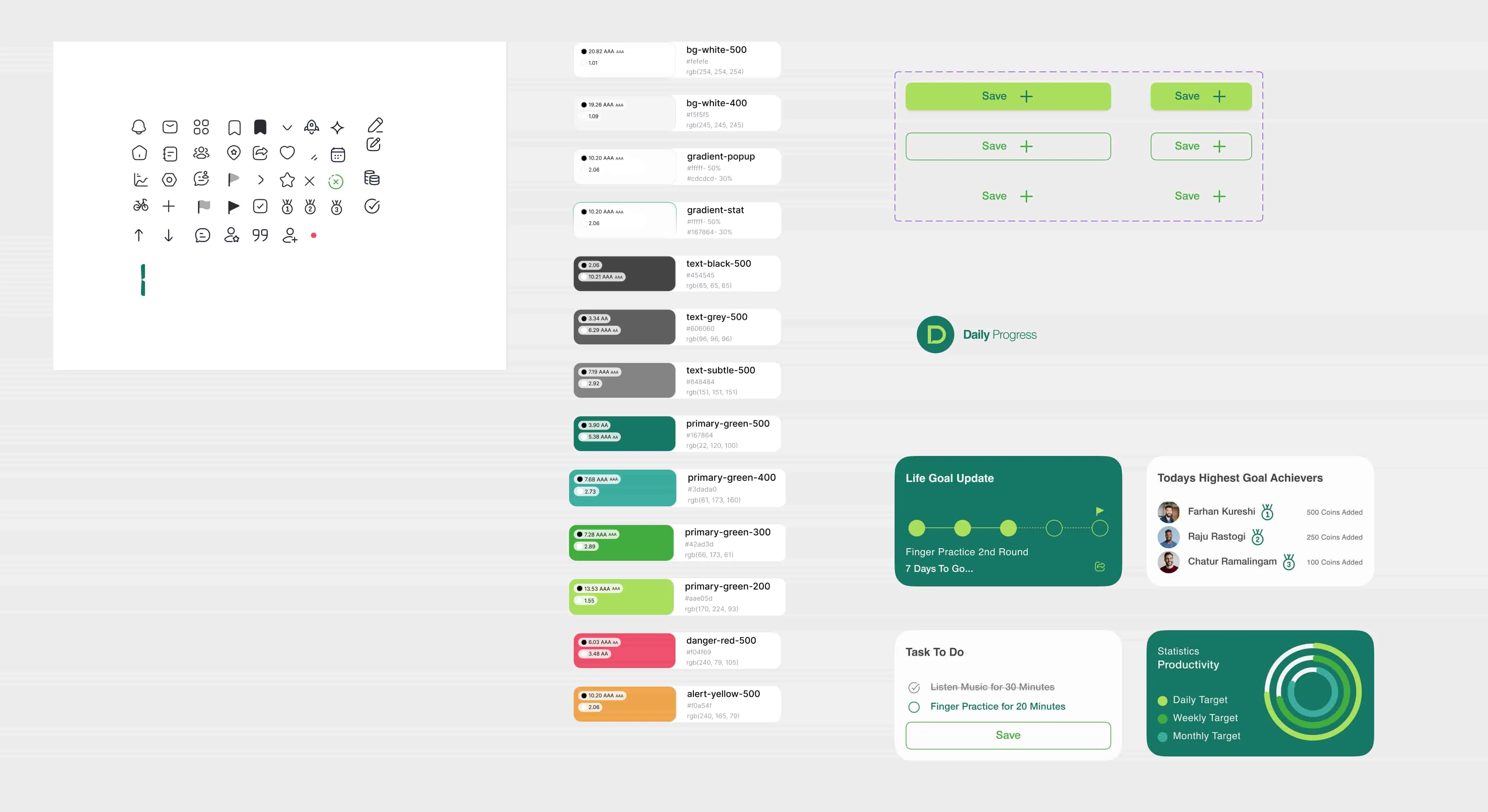
- Colour: deep green primary with lighter green tints, lime accents and neutral greys, defined as reusable styles.
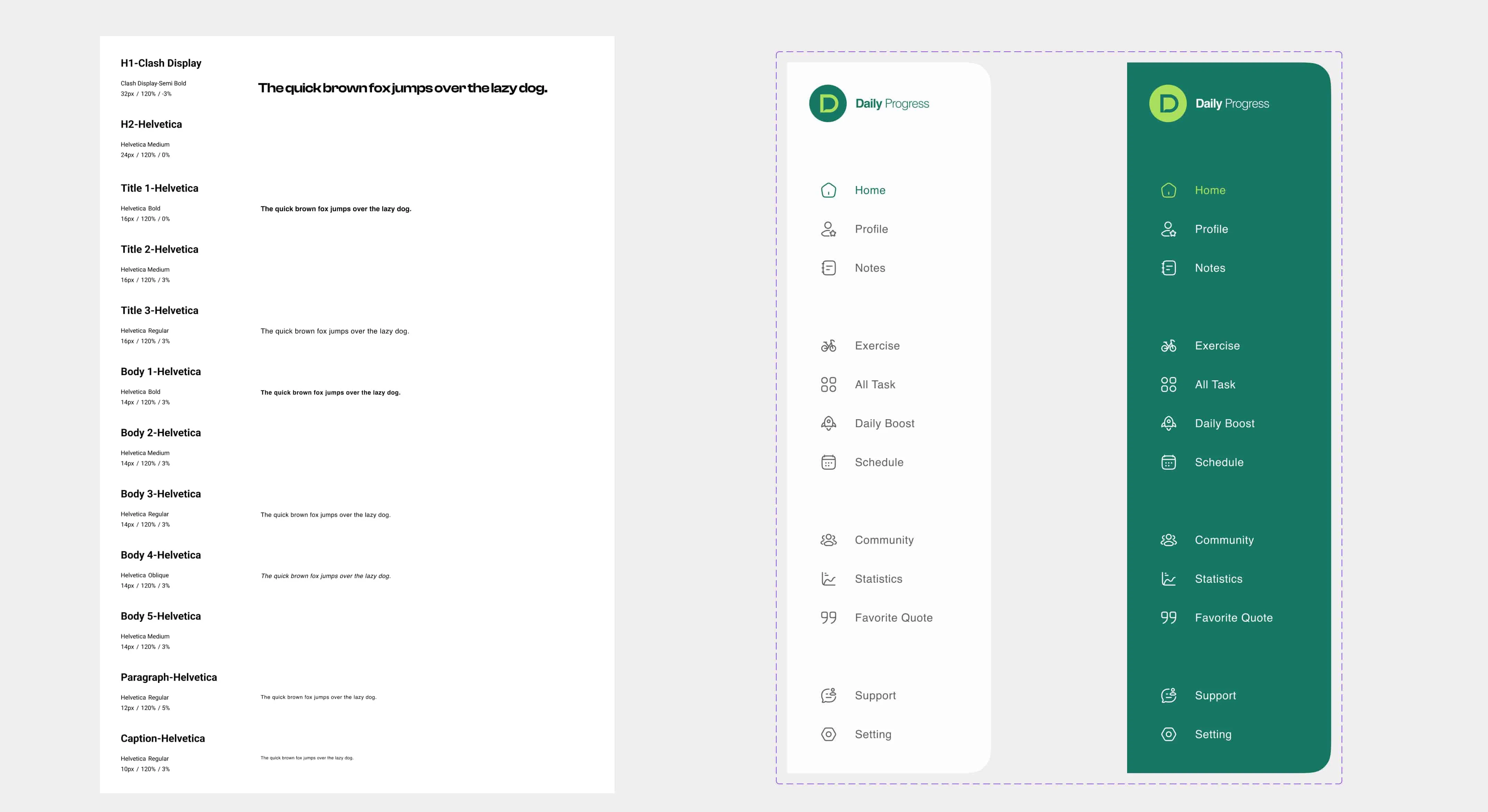
- Typography: a defined type scale from display headings down to captions for clear hierarchy in a dense dashboard.
- Components: sidebar navigation (light and dark), buttons in several states, cards for goal updates, tasks and achievements, plus a consistent icon set.
Outcome
The final design gives users one place to plan, act on and celebrate their goals, presented as a polished desktop experience.